Digital Teaching Methods for Teachers: Effective Strategies, Tools & Best Practices
Published: 25 Aug 2026
Digital Teaching Methods for Teachers have become an important part of modern education. Technology is changing how teachers prepare lessons, present information, communicate with students, assess learning, provide feedback, and support learners outside the traditional classroom.
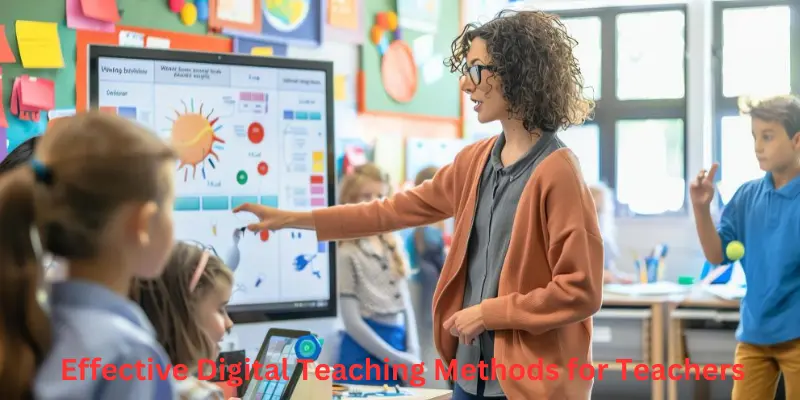
Digital teaching does not simply mean replacing a blackboard with a computer or showing videos during lessons. Effective digital teaching combines technology with sound pedagogy to make learning clearer, more interactive, accessible, personalized, and practical.
For teachers in India, digital education has become increasingly relevant with the implementation of the National Education Policy 2020. NEP 2020 emphasizes technology integration, experiential learning, competency-based education, digital literacy, flexible learning, and improved access to educational resources. The policy also recognizes the importance of teachers developing the skills needed to use technology effectively.
The best Digital Teaching Methods for Teachers are therefore not based on using the largest number of digital tools. They are based on selecting the right technology for a specific learning objective.
What Are Digital Teaching Methods for Teachers?
Digital Teaching Methods for Teachers are instructional approaches that use digital technologies, online resources, multimedia, educational applications, virtual platforms, digital assessments, and other technology-enabled resources to support student learning.
These methods can be used in physical classrooms, online classes, hybrid learning environments, tutoring sessions, teacher training, and independent learning.
Examples include:
- Multimedia presentations
- Educational videos
- Interactive quizzes
- Digital whiteboards
- Learning management systems
- Online assignments
- Virtual classrooms
- Digital simulations
- Online discussion forums
- Educational applications
- Digital assessments
- Virtual demonstrations
- Collaborative documents
- Artificial intelligence-supported learning tools
Technology should support the teacher rather than replace the teacher. A digital presentation that simply reproduces a traditional lecture may not improve learning. Effective digital teaching requires interaction, questioning, practice, assessment, feedback, and meaningful student participation.
Why Digital Teaching Methods Matter for Teachers
Modern students interact with digital technology in many areas of their lives. Educational institutions can use appropriate technology to make learning more accessible and engaging.
Digital teaching can help teachers present difficult concepts through images, diagrams, animations, videos, simulations, and interactive activities.
It can also help teachers provide additional resources to students who need more practice. A learner who does not understand a concept during the classroom lesson may review a digital resource later.
Digital tools can also make assessment more efficient. Teachers can create short online quizzes, collect responses, identify common mistakes, and use the results to plan future instruction.
The role of teachers is also changing under NEP 2020. Teachers are increasingly expected to act as facilitators, mentors, technology-enabled educators, curriculum planners, and continuous learners. EducationBeacon’s NEP 2020 for Teachers: Complete Guide provides a detailed explanation of these changing responsibilities.
Digital Teaching and NEP 2020
NEP 2020 gives significant importance to technology in education. The policy supports the use of technology to improve teaching, learning, assessment, teacher development, educational planning, and access to resources.
The policy also recognizes that technology should be used carefully because access to devices, internet connectivity, digital resources, and teacher training is not equal everywhere.
Digital education therefore needs to be inclusive.
A technology-based teaching strategy is successful only when students can actually access the required resources and understand how to use them.
EducationBeacon’s Key Features of the National Education Policy 2020 Explained covers technology integration, digital skills, assessment reforms, teacher development, inclusion, and other major policy features.
1. Multimedia Teaching
Multimedia teaching combines different forms of content such as text, images, diagrams, audio, animation, video, and presentations.
A science teacher can use an animation to explain a biological process. A geography teacher can use maps and satellite images. A history teacher can use photographs, timelines, maps, and documentary clips.
Multimedia can be particularly useful when students need to visualize something that is difficult to observe directly.
Teachers should avoid adding unnecessary multimedia. Every image, video, animation, or presentation should have a clear educational purpose.
A five-minute animation explaining a complex process may be useful. A twenty-minute video that students watch passively may not be.
2. Digital Presentations
Digital presentations are among the simplest Digital Teaching Methods for Teachers.
Teachers can prepare slides containing:
- Key concepts
- Diagrams
- Images
- Examples
- Questions
- Charts
- Short activities
- Summary points
A good presentation should not contain entire textbook paragraphs.
Students should be able to identify the main idea quickly.
Teachers can also use presentation slides as discussion prompts. Instead of reading every slide, the teacher can display a question and ask students to discuss possible answers.
Digital presentations become more effective when combined with questioning and active participation.
3. Educational Videos
Educational videos can introduce concepts, demonstrate processes, provide examples, or reinforce previously taught material.
Teachers can use videos before, during, or after instruction.
Before the lesson, a short video can introduce a topic.
During the lesson, a demonstration video can explain a difficult process.
After the lesson, a review video can reinforce important concepts.
Teachers should provide a learning task connected to the video.
For example:
Watch the video and identify three causes of the problem discussed.
This is more effective than simply telling students to watch a video.
4. Interactive Quizzes
Interactive quizzes provide teachers with quick information about student understanding.
Teachers can use digital quizzes for:
- Pre-assessment
- Revision
- Formative assessment
- Topic review
- Exit tickets
- Practice tests
Immediate feedback can help students recognize mistakes.
Teachers can also identify questions that many students answered incorrectly. This information can indicate that a concept requires additional explanation.
Digital quizzes should not become the only assessment method. Practical work, written explanations, projects, discussions, and demonstrations may be necessary to measure deeper competencies.
5. Learning Management Systems
Learning management systems can organize digital learning materials in one place.
Teachers can use an LMS to provide:
- Lesson materials
- Assignments
- Reading resources
- Videos
- Quizzes
- Announcements
- Discussion activities
- Grades
- Feedback
This can make learning more organized, particularly when students need to access resources outside the classroom.
Teachers should maintain a simple structure. Students should know where to find lessons, assignments, deadlines, and feedback.
6. Virtual Classroom Teaching
Virtual classrooms allow teachers to conduct live lessons through internet-based platforms.
A virtual class can include:
- Live explanations
- Screen sharing
- Digital presentations
- Polls
- Chat discussions
- Breakout activities
- Online quizzes
- Student presentations
Teachers need different classroom management techniques for virtual learning.
Students may become distracted more easily, experience connectivity problems, or hesitate to participate.
Short activities and frequent questions can help maintain attention.
7. Flipped Classroom Method
The flipped classroom reverses part of the traditional learning sequence.
Students may review a short video, reading, presentation, or digital lesson before class. Classroom time is then used for discussion, practice, problem-solving, projects, and teacher support.
For example, students can watch a short explanation of a mathematical concept before class. During the classroom session, the teacher can focus on solving practical problems and helping students who have difficulty.
This method can increase the amount of time available for active learning.
However, teachers should provide accessible materials and alternative options for students who cannot access digital resources outside school.
8. Digital Collaboration
Digital collaboration allows students to work together using technology.
Students can create shared documents, presentations, research projects, digital posters, or group reports.
A teacher can assign a group research question and ask students to collaborate on a shared document.
Digital collaboration can develop:
- Communication
- Teamwork
- Research skills
- Digital literacy
- Problem-solving
- Organization
Teachers should establish clear responsibilities so that one student does not complete the entire project.
9. Digital Storytelling
Digital storytelling combines narrative with images, audio, video, text, animation, and other digital elements.
Students can create digital stories about historical events, scientific topics, social issues, literature, community experiences, or environmental problems.
Digital storytelling can develop communication, creativity, research, and presentation skills.
Teachers can also use their own digital stories to introduce difficult topics.
10. Virtual Demonstrations and Simulations
Some concepts are difficult, expensive, dangerous, or impossible to demonstrate directly in a classroom.
Digital simulations can provide alternative learning experiences.
For example, simulations can help students explore:
- Scientific experiments
- Physical systems
- Mathematical models
- Economic situations
- Environmental changes
- Engineering concepts
Simulations should not automatically replace practical activities when real-world experience is available.
The teacher should explain what students are expected to observe and how they should interpret the results.
11. Digital Assessment Methods
Assessment is an important area where digital teaching can provide practical advantages.
Teachers can use digital tools to conduct:
- Online quizzes
- Polls
- Short-answer questions
- Digital assignments
- Online presentations
- Digital portfolios
- Peer assessment
- Self-assessment
Digital assessment can provide quick feedback, but teachers should make sure that assessment measures the intended learning outcome.
If the learning objective involves critical thinking, a simple multiple-choice quiz may not be sufficient.
For more information about assessment reform under NEP 2020, see Competency-Based Assessment Under NEP 2020. The article explains how assessment can focus on application, reasoning, skills, and demonstrated competencies.
12. Digital Formative Assessment
Formative assessment happens during learning rather than only at the end.
Digital tools can make formative assessment easier.
Teachers can ask students to answer a question through an online poll or quiz and immediately review the responses.
If most students answer incorrectly, the teacher can revisit the concept.
If most students demonstrate understanding, the teacher can move to a more advanced activity.
This creates a responsive teaching environment.
13. Digital Feedback
Teachers can provide digital feedback through comments, annotations, audio feedback, video feedback, or written responses.
Good feedback should identify:
- What the student did well
- What needs improvement
- How improvement can be achieved
Digital feedback can also create a record of student progress.
Teachers should avoid making feedback overly long. Specific and actionable feedback is generally more useful.
14. Personalized Digital Learning
One advantage of digital teaching is the ability to provide different resources to different learners.
A student struggling with a concept may receive additional practice material.
A student who has already mastered the concept may receive an advanced activity.
Teachers can use assessment results to identify which students need support.
Technology can help deliver different resources, but teachers remain responsible for deciding what each learner needs.
The Future of Teaching Careers in India After NEP 2020 discusses personalized learning, digital teaching, AI, assessment literacy, and the digital skills teachers increasingly need.
15. Artificial Intelligence in Teaching
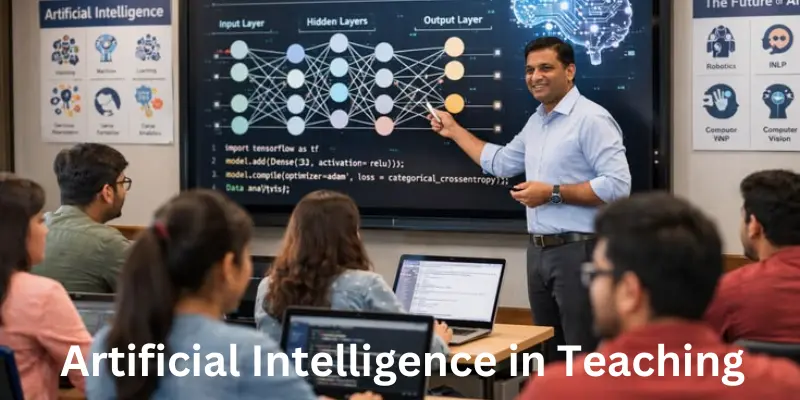
Artificial intelligence is becoming increasingly relevant to education.
Teachers can potentially use AI tools for:
- Lesson planning
- Generating practice questions
- Brainstorming classroom activities
- Creating differentiated exercises
- Drafting educational materials
- Language support
- Organizing information
AI-generated information should always be checked before it is given to students.
Teachers should also consider privacy, academic integrity, bias, accuracy, age appropriateness, and responsible use.
AI should support professional judgment rather than replace it.
A teacher still needs to understand the curriculum, students, learning objectives, assessment requirements, and classroom context.
16. Digital Whiteboards
Digital whiteboards can combine traditional board teaching with multimedia resources.
Teachers can write, draw diagrams, display images, annotate documents, solve problems, and save lesson materials for later use.
They can be useful for mathematics, science, language learning, geography, and many other subjects.
However, a digital whiteboard does not automatically make a lesson interactive.
Interaction comes from what the teacher and students do with the technology.
17. Online Discussion Forums
Online discussion forums can extend classroom conversations beyond school hours.
Teachers can post a question and ask students to respond with evidence or examples.
Students can also respond to classmates.
This can be particularly useful for learners who are uncomfortable speaking in front of the entire class.
Teachers should establish clear rules about respectful communication, evidence, originality, and appropriate language.
18. Digital Project-Based Learning
Digital project-based learning allows students to investigate a question and create a final product.
Students can produce:
- Digital presentations
- Videos
- Infographics
- Podcasts
- Reports
- Websites
- Digital posters
- Data visualizations
For example, students can research local environmental issues and create a digital awareness campaign.
This can develop research, collaboration, communication, creativity, digital literacy, and problem-solving.
Digital projects can also support competency-based learning.
EducationBeacon’s Competency-Based Education Under NEP 2020 explains how application, problem-solving, critical thinking, communication, collaboration, and practical learning fit into competency-based education.
19. Digital Resources for Experiential Learning
Technology can support experiential learning by helping students collect, organize, analyze, and present information.
Students can photograph observations, record interviews, collect survey data, create maps, analyze spreadsheets, or document projects.
Digital tools can therefore extend learning beyond the classroom.
A teacher can ask students to investigate a local issue, collect information, analyze their findings, and present recommendations.
This approach connects digital literacy with real-world learning.
Digital Methods for Different Subjects
Digital Teaching Methods for Teachers should be adapted to the subject.
Digital Teaching Methods for Mathematics
Teachers can use interactive graphs, simulations, digital problem sets, spreadsheets, visual demonstrations, and online quizzes.
Students can also use digital tools to model real-life mathematical situations.
Digital Teaching Methods for Science
Science teachers can use animations, simulations, virtual laboratories, educational videos, digital microscopes, and interactive diagrams.
Digital Teaching Methods for English
Teachers can use digital storytelling, pronunciation resources, collaborative writing, online reading materials, presentations, and discussion forums.
Digital Teaching Methods for Social Science
Teachers can use digital maps, historical archives, documentaries, timelines, data visualizations, and virtual museum resources.
Digital Teaching Methods for Computer Education
Teachers can use coding environments, simulations, collaborative projects, digital portfolios, and practical assignments.
Technology should be selected according to the learning outcome rather than the subject label alone.
Digital Teaching Methods for New Teachers
New teachers should not feel pressured to use every available educational technology.
A better approach is to start with simple methods.
A new teacher can begin with:
Digital presentations for visual explanation.
Interactive quizzes for formative assessment.
Educational videos for demonstrations.
Digital assignments for practice.
Collaborative documents for group projects.
Online resources for additional learning.
Digital portfolios for documenting student progress.
The article Teaching Skills for New Teachers: Essential Skills for Effective Classroom Teaching is particularly relevant here because digital literacy is only one part of the broader skill set new educators need.
Digital Teaching Methods and Effective Classroom Strategies
Technology should be connected with effective pedagogy.
For example, a teacher can use a digital quiz to identify misconceptions, followed by group discussion and teacher explanation.
A video can be followed by a problem-solving activity.
A digital presentation can be followed by student questioning.
An online assignment can be followed by individual feedback.
This combination makes technology part of the teaching process rather than a separate activity.
EducationBeacon’s Effective Teaching Strategies in Classroom provides practical approaches involving active learning, questioning, formative assessment, experiential learning, cooperative learning, differentiated instruction, and real-life applications.
Digital Teaching and Competency-Based Learning
Digital tools can support competency-based learning when they provide opportunities for students to demonstrate knowledge and skills.
A digital portfolio can demonstrate communication and creativity.
A digital project can demonstrate research and collaboration.
A simulation can demonstrate application.
An online case study can demonstrate analytical thinking.
A digital presentation can demonstrate communication skills.
Technology therefore becomes particularly useful when it helps students create, solve, analyze, communicate, and demonstrate rather than simply consume information.
Digital Teaching for Inclusive Education
Technology can help make learning more accessible when used appropriately.
Teachers can provide:
- Captions
- Audio resources
- Adjustable text
- Visual materials
- Recorded explanations
- Alternative formats
- Digital accessibility features
However, digital accessibility should be considered before assigning a technology-based task.
A student who cannot access a particular platform or device should have an appropriate alternative.
Inclusive digital teaching requires teachers to understand the needs of their learners rather than assuming that technology is automatically accessible to everyone.
Challenges of Digital Teaching
Digital Teaching Methods for Teachers also present challenges.
Digital Divide
Not all students have equal access to devices and reliable internet connectivity.
Teacher Training
Teachers may need professional development to use technology effectively.
Screen Time
Excessive screen exposure may reduce opportunities for physical activity, face-to-face communication, and hands-on learning.
Distraction
Students can become distracted by unrelated applications or online content.
Technical Problems
Connectivity, device, software, and platform problems can interrupt lessons.
Privacy and Security
Teachers and schools need to protect student information and use digital tools responsibly.
Information Quality
Online information is not always accurate. Students need digital and information literacy skills.
EducationBeacon’s Challenges of NEP 2020 and Practical Solutions discusses broader implementation challenges involving teacher preparation, resources, technology, infrastructure, and educational reform.
How Teachers Can Overcome Digital Teaching Challenges
Teachers can reduce digital teaching problems through practical planning.
Keep a Backup Plan
If the internet fails, the lesson should still be possible using offline resources.
Use Simple Technology
Teachers should choose tools that students can access and understand.
Test Technology Before Class
Teachers should check presentations, links, videos, audio, and online activities before the lesson.
Provide Clear Instructions
Students should know how to access the resource and what they are expected to do.
Protect Student Privacy
Teachers should avoid sharing unnecessary personal information online and should use approved educational platforms where possible.
Balance Digital and Offline Learning
Technology should complement discussion, writing, practical activities, experiments, reading, and face-to-face interaction.
Digital Literacy Skills Teachers Need
Teachers increasingly need a broad range of digital skills.
These include:
- Basic computer skills
- Online research
- Digital communication
- Presentation design
- Learning management systems
- Digital assessment
- Cybersecurity awareness
- Data privacy
- Digital accessibility
- AI literacy
- Information verification
- Digital collaboration
Digital literacy should be treated as an ongoing professional skill.
The future teaching environment is likely to require teachers who can combine subject expertise with pedagogy, assessment, digital technology, communication, and adaptability. EducationBeacon’s Future of Teaching Careers in India After NEP 2020 discusses these changing professional expectations.
Professional Development for Digital Teaching
Teachers should continue developing their digital skills through professional development.
Training can focus on:
- Digital lesson planning
- Online assessment
- Multimedia teaching
- Learning management systems
- AI in education
- Digital accessibility
- Cyber safety
- Educational applications
- Digital content creation
NEP 2020 emphasizes continuous professional development for teachers. The policy identifies ongoing learning and professional development as important components of teacher preparation and effectiveness.
The 15 Benefits of NEP 2020 for Teachers article is also relevant to this topic because the Teaching Faculty category highlights professional growth, modern teaching methods, technology integration, and teacher development among the benefits associated with NEP 2020.
Digital Teaching Methods for Primary School Teachers
Primary school teachers should use age-appropriate technology.
Young learners may benefit from:
- Educational animations
- Interactive stories
- Digital pictures
- Simple games
- Audio resources
- Interactive quizzes
- Digital drawing
- Short educational videos
Activities should remain short and interactive.
Young children also need physical movement, conversation, play, social interaction, handwriting, practical activities, and direct experiences.
Digital technology should complement these experiences.
Digital Teaching Methods for Secondary School Teachers
Secondary teachers can use more advanced digital approaches.
Students can participate in:
- Digital research
- Online discussions
- Virtual experiments
- Data analysis
- Digital presentations
- Collaborative projects
- Simulations
- Online assessments
Teachers can also introduce responsible AI and information-literacy skills.
Students should learn how to evaluate online information, identify unreliable sources, protect personal information, and use technology ethically.
Digital Teaching Methods for Online and Hybrid Learning
Hybrid learning combines physical classroom instruction with online resources or activities.
A teacher may provide classroom explanations and then use an online platform for assignments, resources, discussion, and assessment.
Hybrid learning can provide flexibility, but it requires careful organization.
Students should understand:
- What happens in the classroom
- What happens online
- Which tasks are compulsory
- When assignments are due
- Where resources are located
- How feedback will be provided
A clear structure prevents confusion.
How to Choose the Right Digital Teaching Method
Teachers can ask five questions before selecting a digital tool:
What is the learning objective?
Does technology improve the learning experience?
Can all students access it?
How will students participate?
How will learning be assessed?
If a digital tool does not improve learning, it may not be necessary.
A simple discussion may sometimes be more effective than a complicated application.
Best Practices for Digital Teaching
Effective Digital Teaching Methods for Teachers generally follow several principles.
Start with the learning objective.
Technology should serve the objective.
Keep students active.
Students should interact with information rather than simply watch or read.
Use technology purposefully.
Every tool should have a clear role.
Provide feedback.
Digital activities should help students understand their progress.
Protect privacy.
Teachers should use digital tools responsibly.
Maintain accessibility.
Students should have reasonable access to required resources.
Balance online and offline learning.
Technology should not replace every traditional learning experience.
Evaluate effectiveness.
Teachers should observe whether the digital method actually improves learning.
Common Mistakes Teachers Should Avoid
Using Technology for Its Own Sake
Technology is not automatically better than traditional teaching.
Too Many Digital Tools
Using multiple platforms can confuse students.
Long Videos
Students may become passive when videos are too long.
Ignoring Accessibility
Teachers should consider students who have limited digital access.
Not Testing Technology
Technical problems can consume valuable classroom time.
Replacing Interaction With Screens
Students still need discussion, collaboration, practical activities, and direct teacher support.
Ignoring Digital Safety
Students should learn responsible and secure technology use.
You May Also Read
Effective Teaching Strategies in Classroom — practical classroom strategies that complement digital teaching methods.
Teaching Skills for New Teachers — useful for understanding the broader professional skills new teachers need, including technology, communication, assessment, and classroom management.
NEP 2020 for Teachers — explains how NEP 2020 is changing teacher responsibilities, digital education, professional development, assessment, and classroom practices.
Frequently Asked Questions
What are Digital Teaching Methods for Teachers?
Digital Teaching Methods for Teachers are teaching approaches that use technology, online resources, multimedia, digital assessments, educational applications, virtual platforms, and other digital tools to support learning.
What is the best digital teaching method for teachers?
There is no single best method for every classroom. The right method depends on the learning objective, student age, subject, available resources, accessibility, and teaching environment.
How can teachers use technology effectively in the classroom?
Teachers can use technology for multimedia explanations, interactive quizzes, simulations, digital projects, online assessments, collaborative activities, digital feedback, and additional learning resources.
Are digital teaching methods suitable for primary students?
Yes. Primary teachers can use age-appropriate digital stories, animations, interactive activities, educational games, audio resources, and short videos while maintaining physical, social, and hands-on learning experiences.
How does NEP 2020 support digital teaching?
NEP 2020 supports technology integration in education and encourages digital resources, teacher development, educational technology, and improved access to learning opportunities.
Can AI replace teachers in digital education?
AI can support lesson planning, resource development, practice activities, and some forms of personalized learning, but it cannot replace the human roles of teachers in mentoring, classroom relationships, judgment, emotional support, and understanding individual learners.
How can teachers overcome the digital divide?
Teachers can provide offline alternatives, downloadable resources, printed materials, shared devices where available, and classroom-based activities for students who have limited internet or device access.
Why is digital literacy important for teachers?
Digital literacy helps teachers select appropriate educational tools, evaluate online information, communicate digitally, conduct assessments, protect student data, and prepare students for technology-rich educational and professional environments.
Conclusion
Digital Teaching Methods for Teachers are becoming an important part of modern education, but effective digital teaching is not simply about using more technology.
The most successful approach combines technology with strong pedagogy, clear learning objectives, active student participation, assessment, feedback, accessibility, and responsible digital practices.
Teachers can use multimedia presentations, educational videos, interactive quizzes, learning management systems, virtual classrooms, digital collaboration, simulations, digital projects, online assessments, and AI-supported resources according to their classroom needs.
NEP 2020 has strengthened the importance of digital education in India while also emphasizing competency-based learning, experiential learning, critical thinking, inclusion, and teacher professional development.
For teachers, the goal should not be to become experts in every educational technology platform. The goal is to develop enough digital confidence and professional judgment to select technology that genuinely improves learning.
A simple digital quiz can be more useful than an elaborate application if it helps the teacher identify a learning gap. A short educational video can be valuable when followed by discussion and application. A digital project can be powerful when it develops research, communication, creativity, collaboration, and problem-solving.
The future of teaching in India will likely involve a combination of physical classrooms, digital resources, competency-based learning, personalized support, experiential education, and responsible technology use.
Teachers who develop both digital skills and strong teaching skills will be better prepared to create meaningful learning experiences in this changing educational environment.
Authoritative External Resources
National Education Policy 2020 — Ministry of Education, Government of India — official policy document covering technology integration, teacher development, assessment, inclusion, and educational reform.
National Curriculum Framework for School Education 2023 — NCERT — official curriculum framework relevant to pedagogy, learning outcomes, technology, and school education.
CBSE Pedagogy Resources — official CBSE resources related to teaching and pedagogy.
CBSE Teacher Training Resources — official teacher-training information and guidelines.






- Be Respectful
- Stay Relevant
- Stay Positive
- True Feedback
- Encourage Discussion
- Avoid Spamming
- No Fake News
- Don't Copy-Paste
- No Personal Attacks
- Be Respectful
- Stay Relevant
- Stay Positive
- True Feedback
- Encourage Discussion
- Avoid Spamming
- No Fake News
- Don't Copy-Paste
- No Personal Attacks
